

Running a DTF shop in 2026 without AI automation? That's like trying to compete in Formula 1 with a bicycle. While your competitors are cranking out perfect transfers at lightning speed, you're still stuck manually fixing pixelated logos at 2 AM, wondering where your life went wrong.
Here's the reality: manual artwork prep, color corrections, and layout optimization are eating 10+ hours of your week. But smart shop owners are already using AI to handle the boring stuff, freeing themselves up to focus on what actually grows their business.
Ready to join the automation revolution? Here are 5 game-changing AI hacks that'll transform your DTF workflow and give you your evenings back.
Hack #1: Let AI Handle Your Artwork Quality Control (Save 3 Hours Weekly)
The Problem: Every client sends you garbage artwork. Blurry logos, weird transparencies, colors that look like they were picked by a colorblind toddler. You spend hours in Photoshop fixing everything manually.
The AI Solution: Tools like STAHLS' ART AI Assist now perform one-click automated evaluation and correction of uploaded artwork. This isn't just basic upscaling – we're talking intelligent fixes for low resolution, transparency issues, soft edges, and color inconsistencies.

The AI analyzes each design element and automatically:
- Removes messy backgrounds without you touching a single pixel
- Enhances resolution using machine learning algorithms
- Fixes transparency problems that would normally require manual masking
- Corrects color profiles for optimal DTF printing
Time Saved: Instead of spending 20-30 minutes per problematic file, you're looking at 2-3 minutes max. With 20-30 files per week, that's easily 3 hours back in your pocket.
Pro Tip: Set up automated folders where AI pre-processes uploads before they even hit your main workflow. Your morning coffee will taste better when you're not dreading the artwork review pile.
Hack #2: AI Color Matching That Actually Works (Save 2.5 Hours Weekly)
The Problem: Color matching is the bane of every DTF shop's existence. Client sends you a Pantone reference, you print a test, it's wrong, print another test, still wrong. Rinse and repeat until you hate your life.
The AI Solution: AI color matching systems analyze designs and automatically adjust ink formulations for accurate color reproduction across different fabrics. We're talking 60-80% reduction in turnaround time with 95%+ color accuracy on first prints.
The system works by:
- Analyzing fabric substrate and adjusting color profiles automatically
- Comparing digital colors to actual print output using machine learning
- Predicting color shift before printing happens
- Optimizing ink density for each specific design element

Time Saved: No more printing 3-4 test samples per color-critical job. You're cutting color correction time from 30+ minutes per job down to 5 minutes.
Real Talk: One shop owner told us he went from spending entire afternoons on color corrections to knocking them out during his lunch break. That's the kind of life-changing efficiency we're talking about.
Hack #3: Batch Process Everything Like a Machine (Save 2 Hours Weekly)
The Problem: You're processing files one by one like it's 2015. Upload, review, adjust, process, repeat. It's mind-numbing and incredibly inefficient.
The AI Solution: Modern AI tools allow batch artwork uploads with simultaneous processing. Think of it as hiring a super-fast digital assistant who never gets tired or makes mistakes.
Transfer Express's AI tool and similar platforms now offer:
- Multi-file drag-and-drop processing
- Real-time batch proofing without expensive RIP software
- Automated correction suggestions for entire batches
- Smart file organization based on print requirements

How It Works in Practice:
- Drop 20+ files into the system at once
- AI automatically categorizes by size, color requirements, and complexity
- Batch corrections happen simultaneously
- You get a complete proof sheet in minutes, not hours
Time Saved: Instead of 5-6 minutes per file (which adds up fast), you're processing entire batches in 15-20 minutes total.
Hack #4: Smart Layout Optimization (Save 1.5 Hours Weekly)
The Problem: You're still playing Tetris with your gang sheets, manually arranging designs to minimize waste. It's tedious, you make mistakes, and you're definitely not maximizing material usage.
The AI Solution: AI layout generators analyze multiple designs and automatically arrange them for maximum film efficiency. This isn't just about fitting more designs – it's about intelligent placement that considers print quality and cutting requirements.
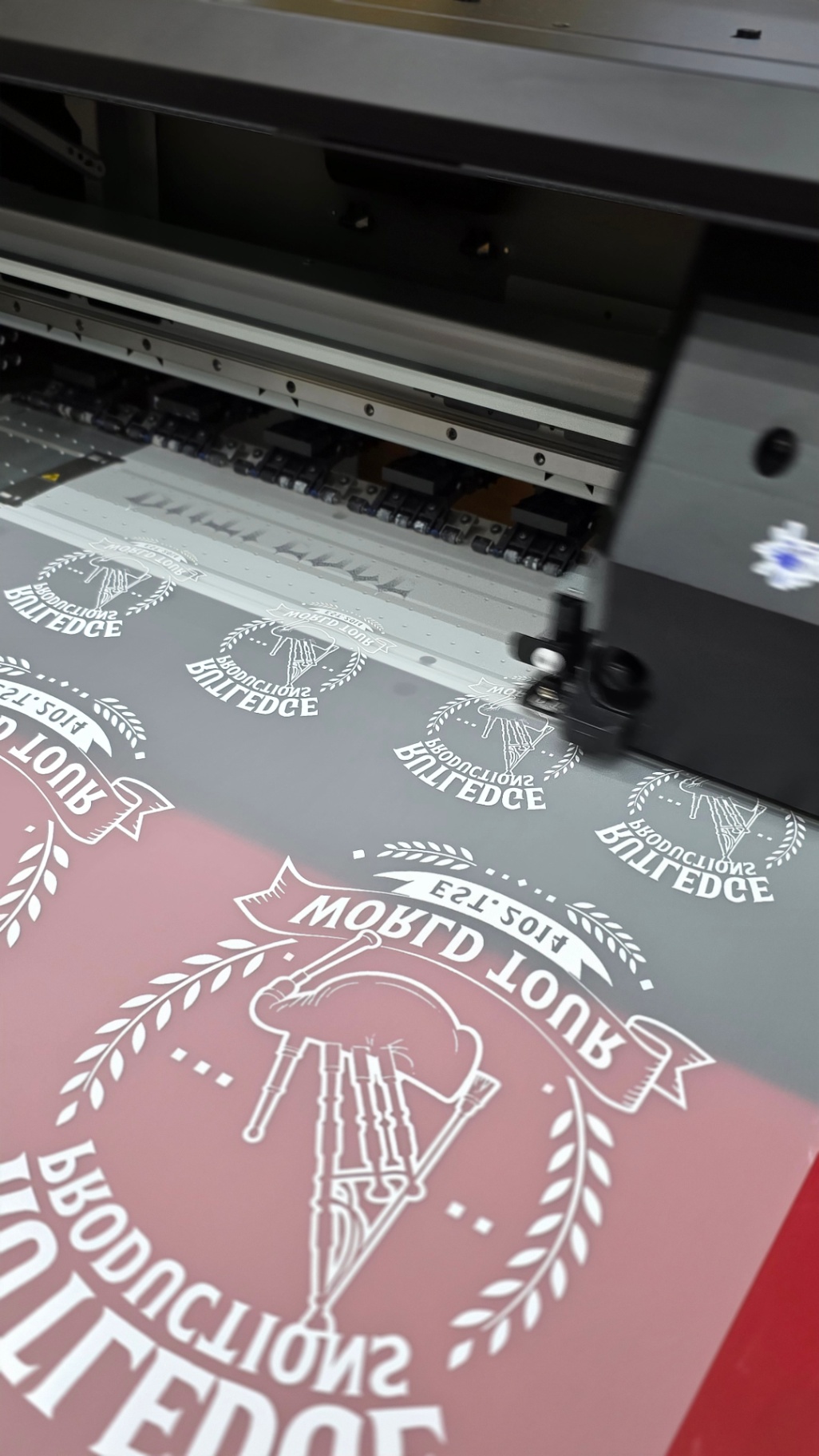
Smart Features Include:
- Optimal spacing calculations for clean cutting
- Design rotation to maximize film usage
- Print head efficiency optimization to reduce passes
- Automatic nesting of compatible designs
The Press Ready DTF Advantage: Our DTF Gang Sheet Auto Designer takes this concept even further, automatically optimizing layouts while maintaining print quality standards.
Time Saved: What used to take 20-30 minutes of manual arrangement now happens in under 5 minutes. Plus, you're reducing material waste by 15-20%.
Hack #5: Predictive Quality Control (Save 1 Hour Weekly)
The Problem: You only discover print quality issues after the transfer is already printed. Cue the expensive reprints and frustrated customers.
The AI Solution: Predictive quality control analyzes designs before printing and flags potential issues. Think of it as having a seasoned print expert review every job before it hits the printer.
What AI Catches Before You Print:
- Resolution problems that will cause pixelation
- Color combinations that won't translate well to DTF
- Design elements too small for clean transfer
- File corruption or formatting issues

Advanced Features:
- Print simulation showing exactly how the final transfer will look
- Automatic suggestions for design optimization
- Quality scoring based on historical print success data
- Material compatibility checking for different fabric types
Time Saved: Eliminating reprints and quality issues saves roughly 1 hour per week, plus the cost of wasted materials and customer frustration.
The Bottom Line: Your 2026 Automation Action Plan
Here's what 10+ hours back in your week actually means:
- More time for business development instead of manual grunt work
- Higher profit margins from reduced waste and reprints
- Better customer satisfaction with faster turnarounds and consistent quality
- Your sanity preserved because you're not working until midnight fixing artwork
Getting Started:
- Audit your current workflow – track how much time you spend on manual tasks
- Start with the biggest time-wasters (usually artwork quality control)
- Test one AI tool at a time instead of overhauling everything at once
- Measure the results – you'll be shocked at the time savings
The DTF shops thriving in 2026 aren't the ones with the biggest equipment budgets – they're the ones who embraced automation early and used the extra time to focus on growth, not grunt work.
Ready to reclaim your week? Start with automated artwork quality control and work your way through the list. Your future self (and your bank account) will thank you.
Want to see gang sheet automation in action? Check out our DTF Gang Sheet Builder tools and discover how Press Ready DTF is already using these automation principles to deliver faster, better transfers for our customers.